$0 to start
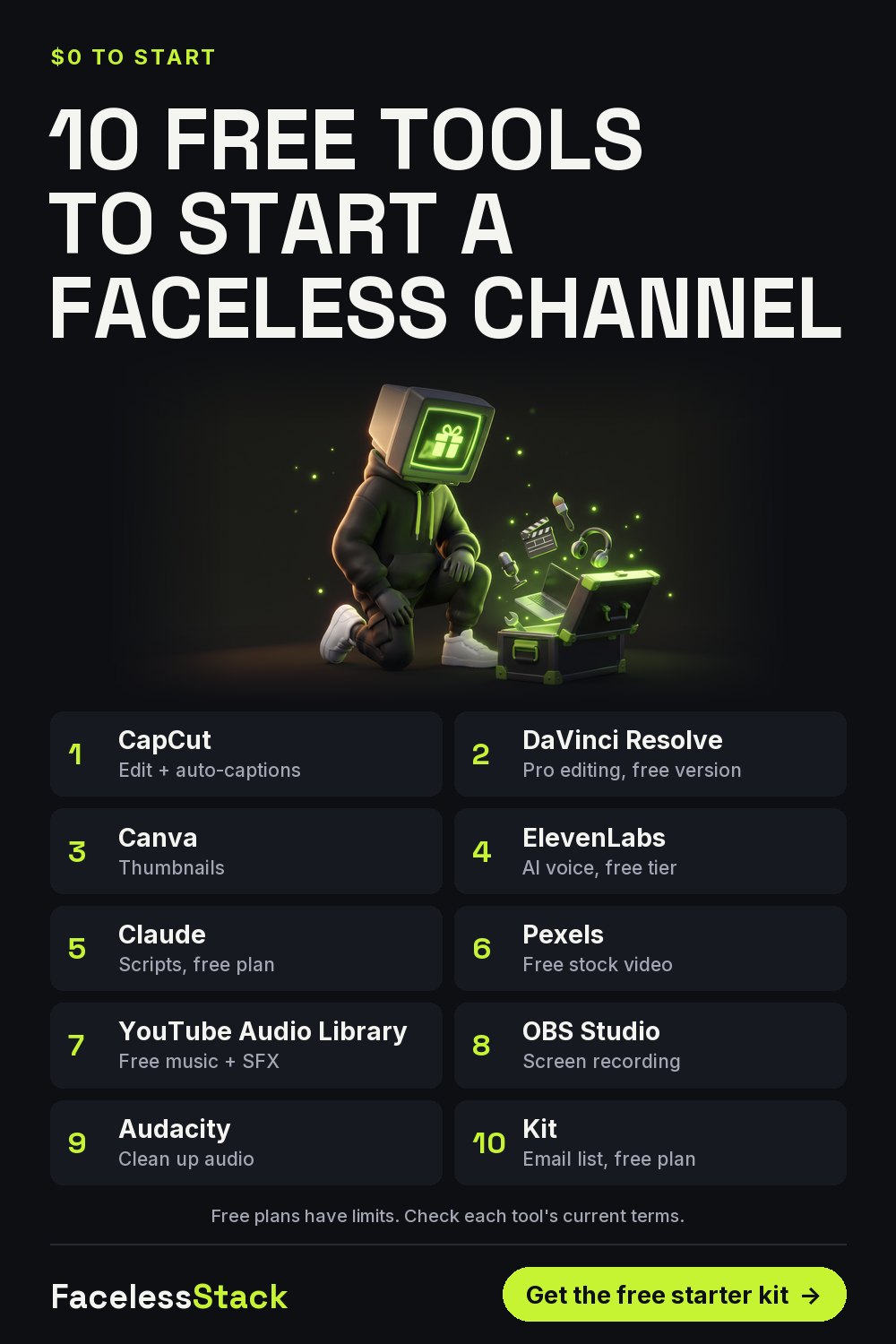
10 Free Tools to Start a Faceless YouTube Channel (2026)
You can make your first 30 Shorts without paying for anything. Here's the free tool I'd use for each job. Free plans have limits, so check each one's current terms.
| 1 | CapCut | Edit + auto-captions |
| 2 | DaVinci Resolve | Pro editing, free version |
| 3 | Canva | Thumbnails |
| 4 | ElevenLabs | AI voice, free tier |
| 5 | Claude | Scripts, free plan |
| 6 | Pexels | Free stock video |
| 7 | YouTube Audio Library | Free music + SFX |
| 8 | OBS Studio | Screen recording |
| 9 | Audacity | Clean up audio |
| 10 | Kit | Email list, free plan |
Free plans have limits. Check each tool's current terms.
Save this for later:
Get the free Faceless Shorts Starter Kit
9 pages: the 1-hour workflow, 15 visual prompts, voice presets, caption rules, a real credit-cost sheet and a 30-day calendar.
Free. One useful email a week. Unsubscribe anytime.
The stack I actually use
Some links below may be affiliate links. If you subscribe through them I may earn a commission, at no extra cost to you. I've listed a free option next to each one.
| Job | Tool I use | Why | Free option |
|---|---|---|---|
| Visuals | Higgsfield | Cinematic motion and consistent characters | Pexels stock + Canva |
| Voice | ElevenLabs | The most natural narration I've tested | ElevenLabs free tier |
| Captions & edit | Submagic | Animated captions in minutes | CapCut auto-captions |
| Email list | Kit | Owning your audience | Kit free plan |
More free guides
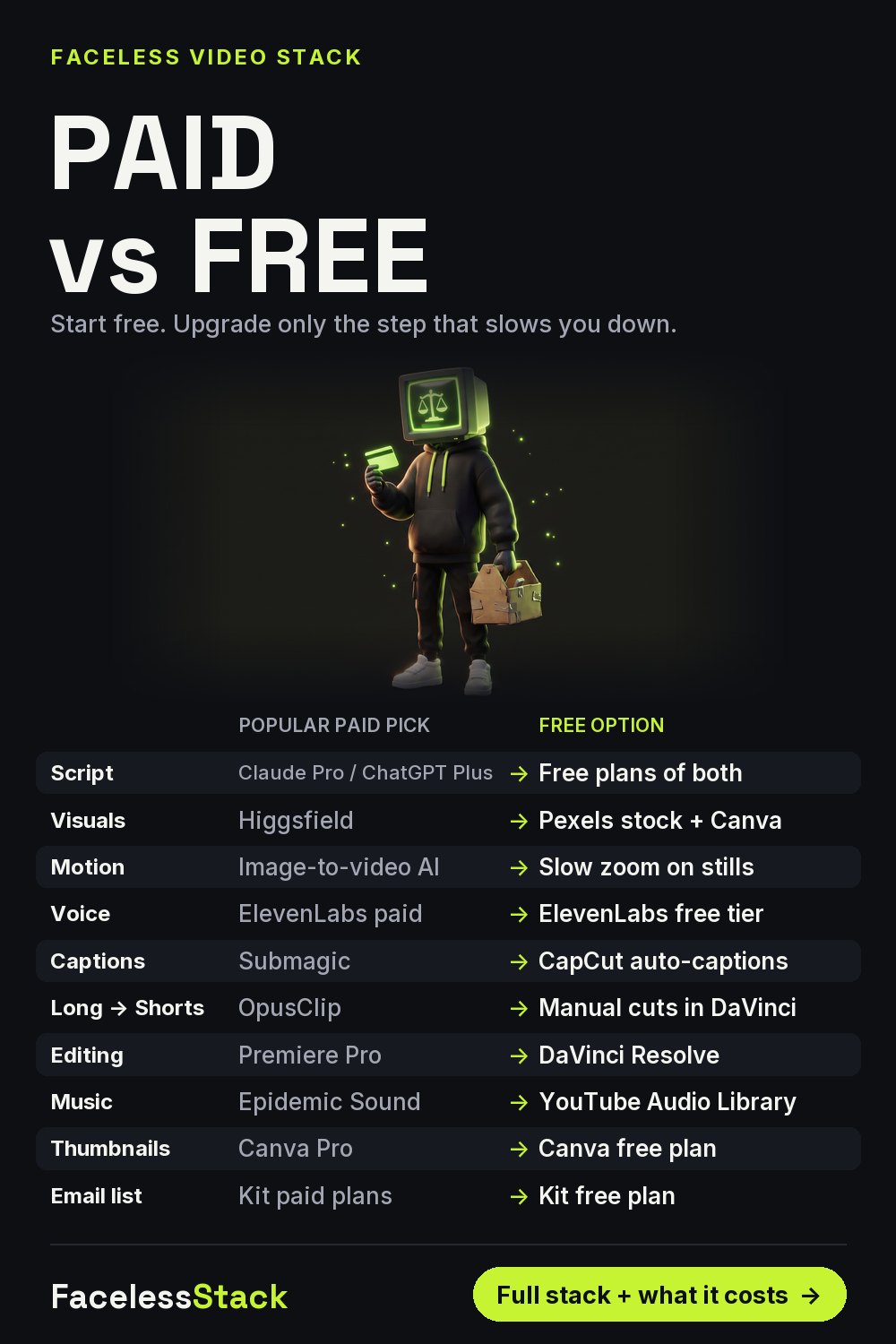
Paid vs Free AI Tools for Faceless YouTube Channels (2026)
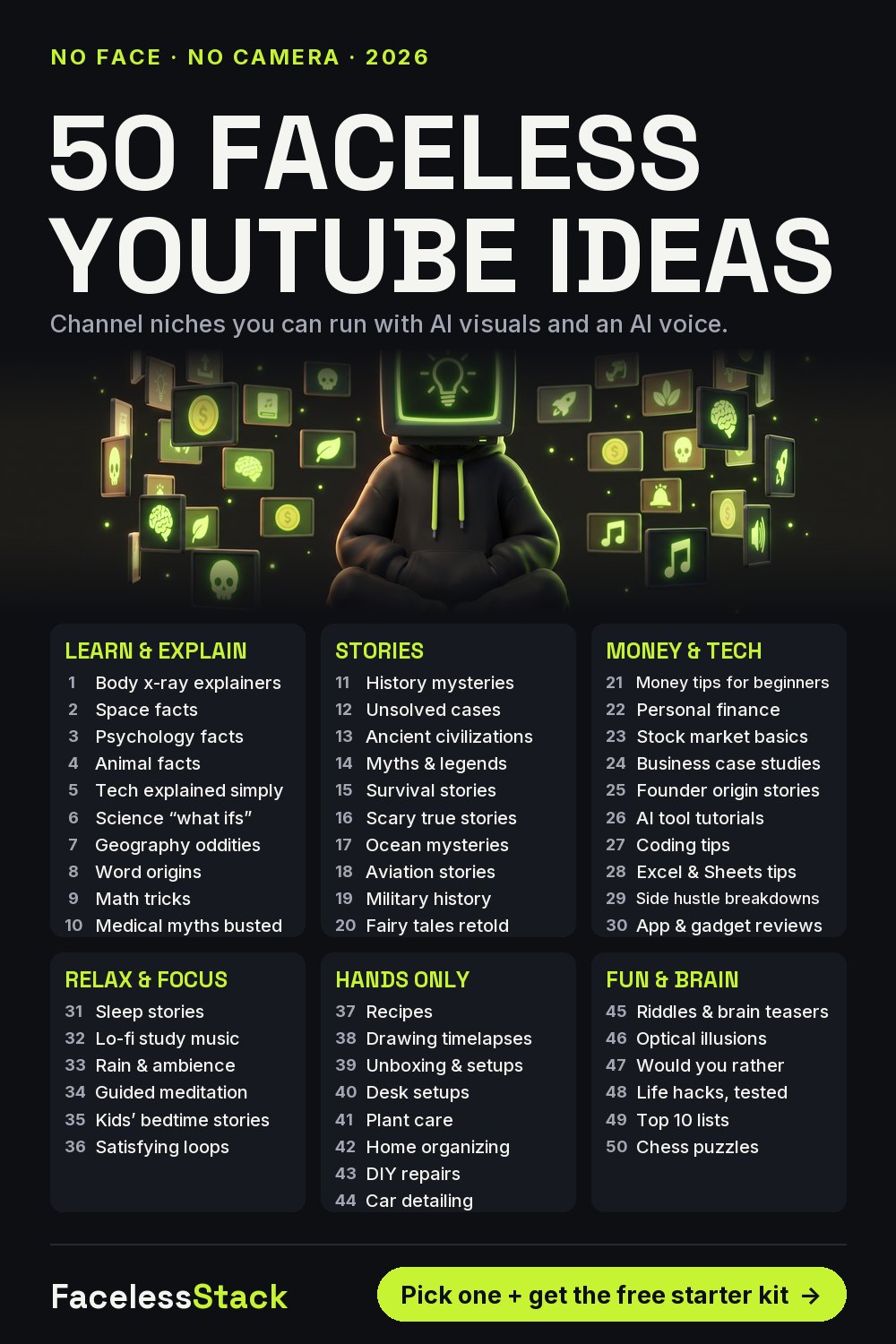
50 Faceless YouTube Channel Ideas for Beginners (2026)
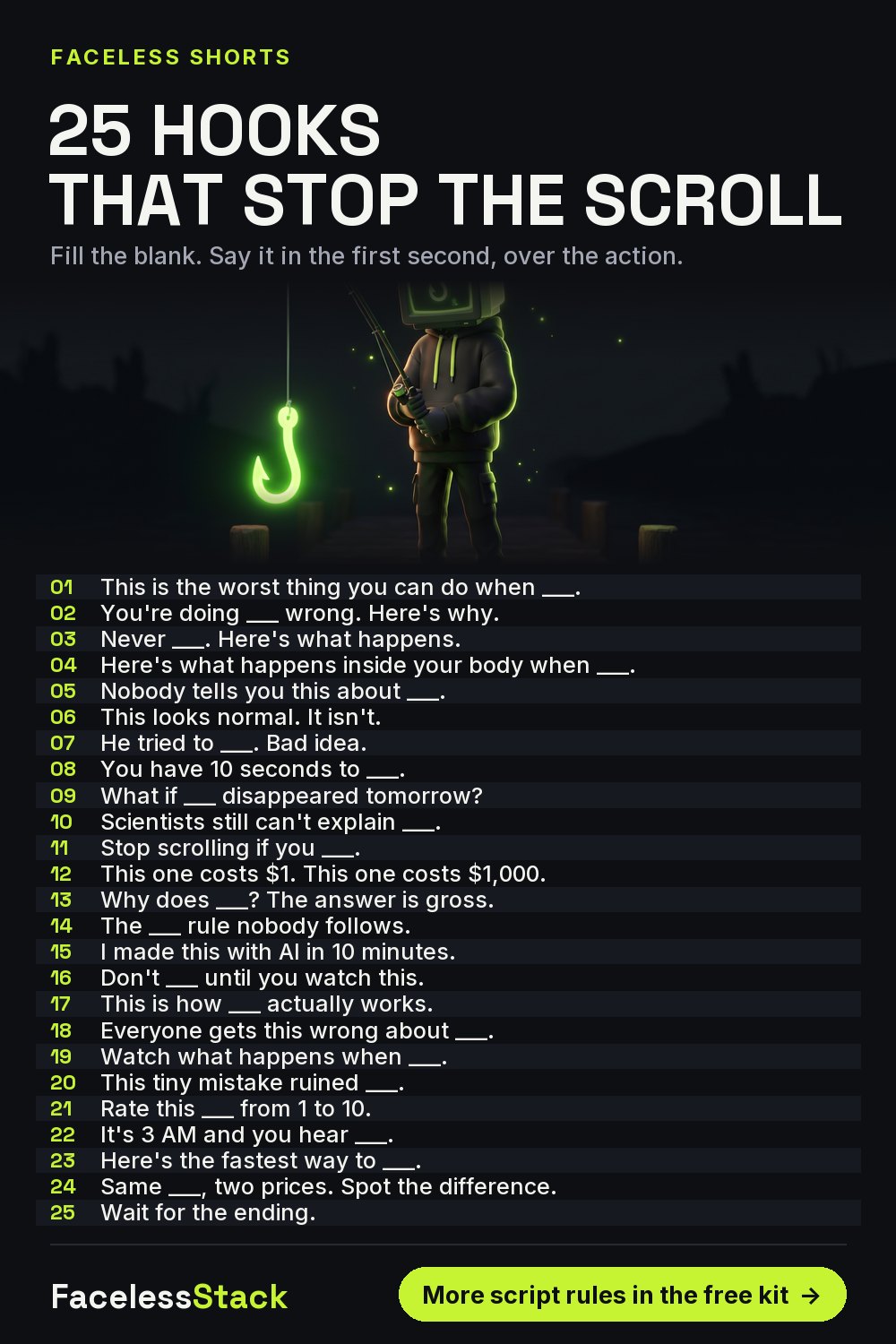
25 YouTube Shorts Hooks That Stop the Scroll (Faceless Channels)
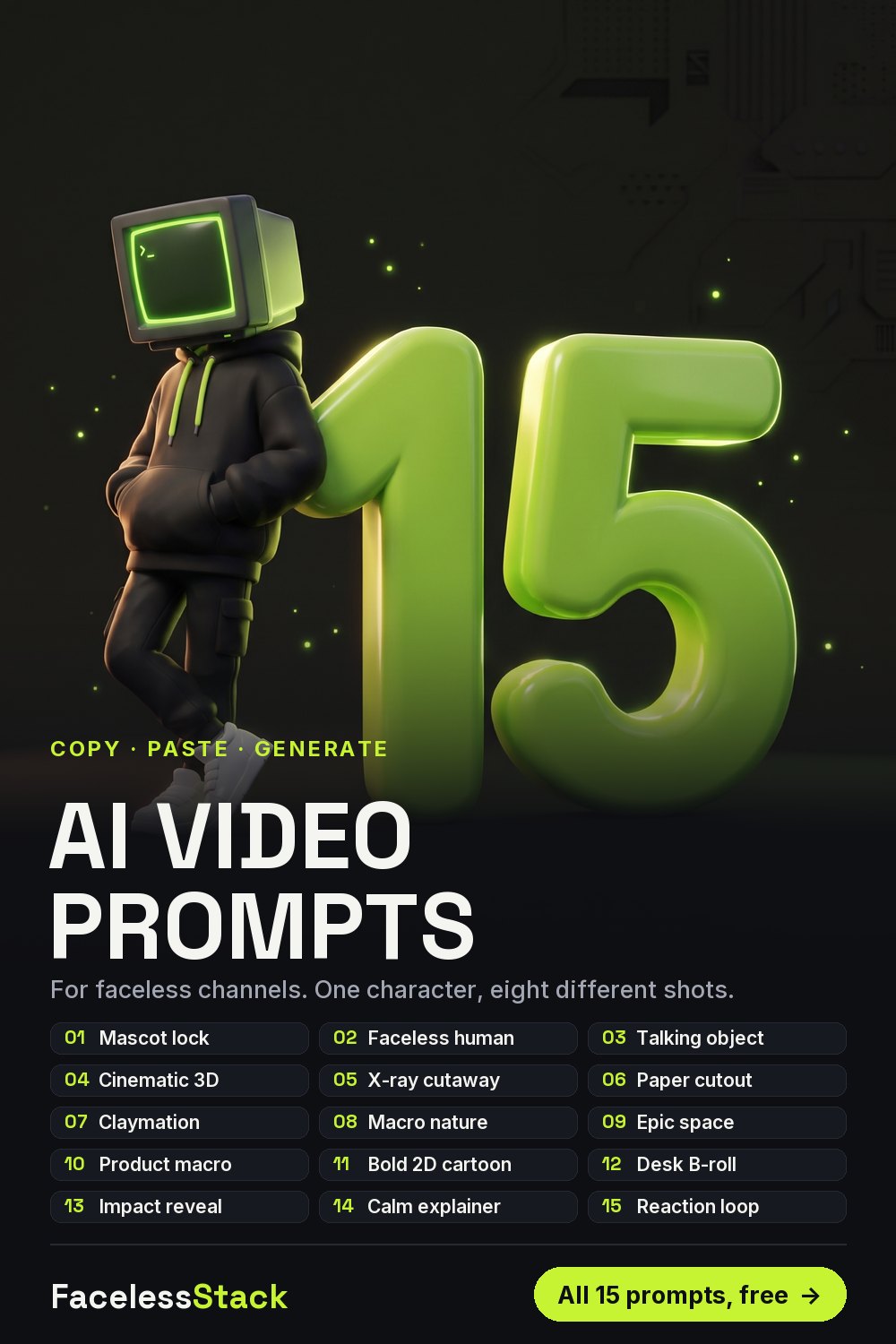
15 AI Image & Video Prompts for Faceless YouTube Shorts
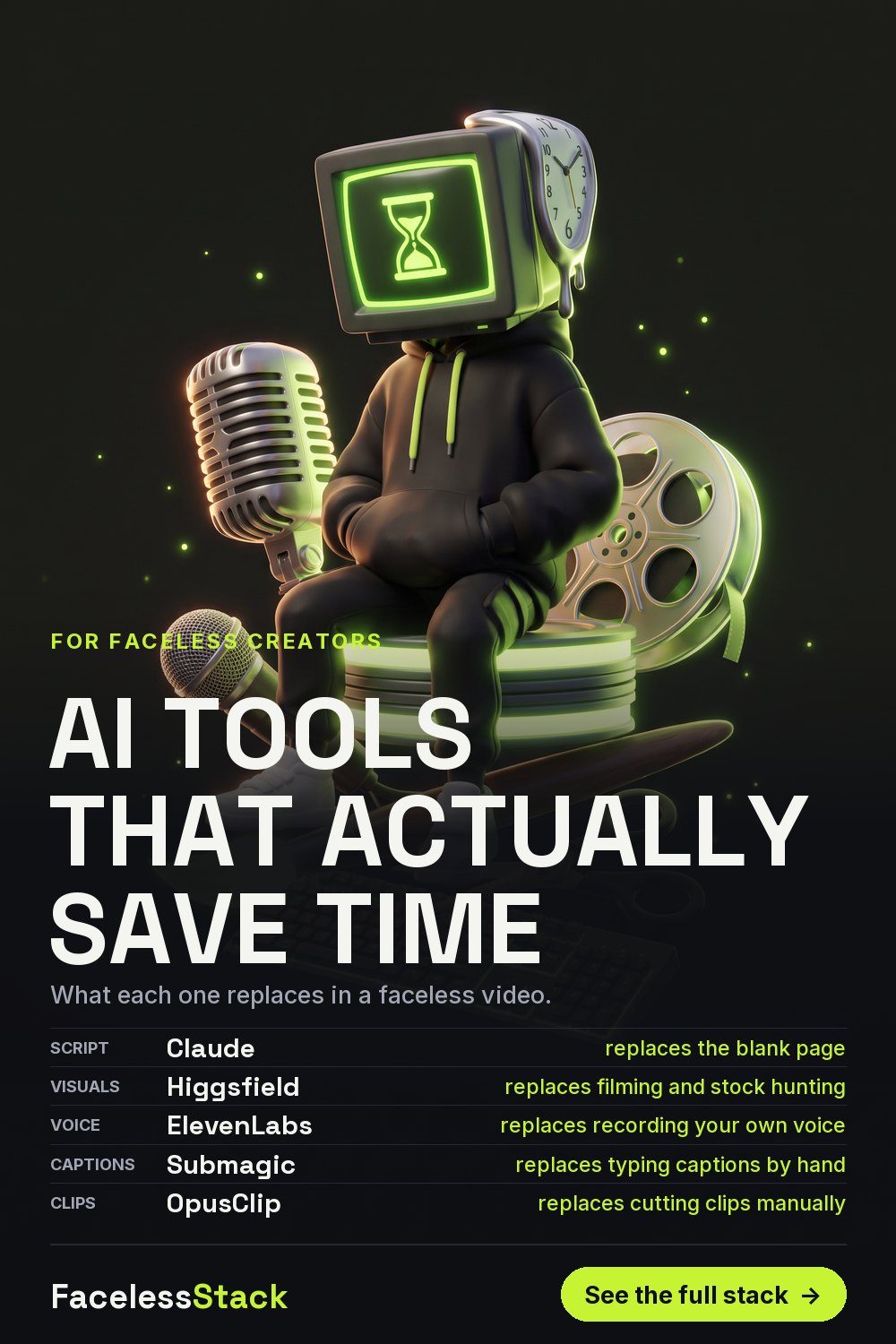
AI Tools That Actually Save Time for Faceless Content Creators
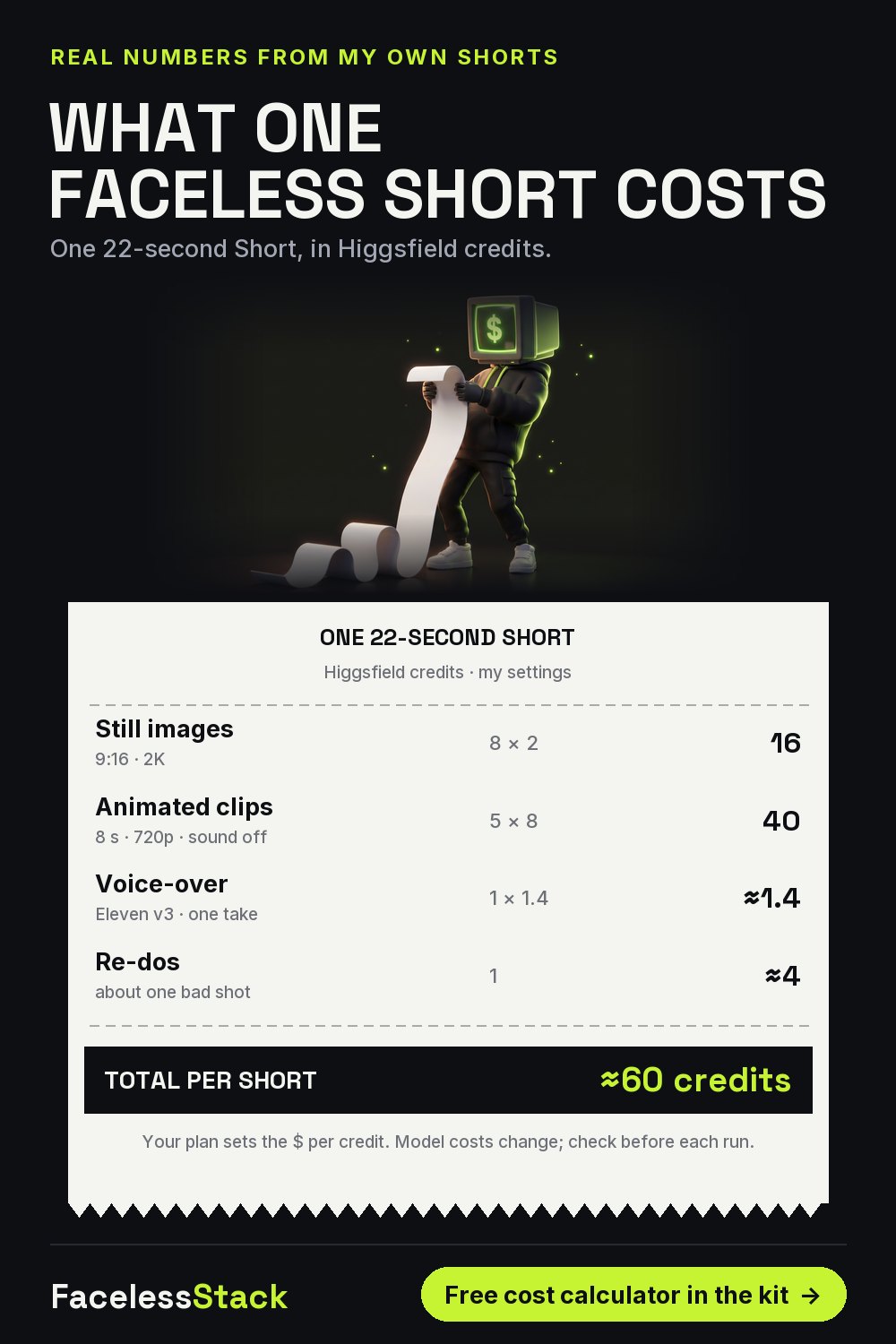
What One Faceless YouTube Short Really Costs (AI Credits Breakdown)
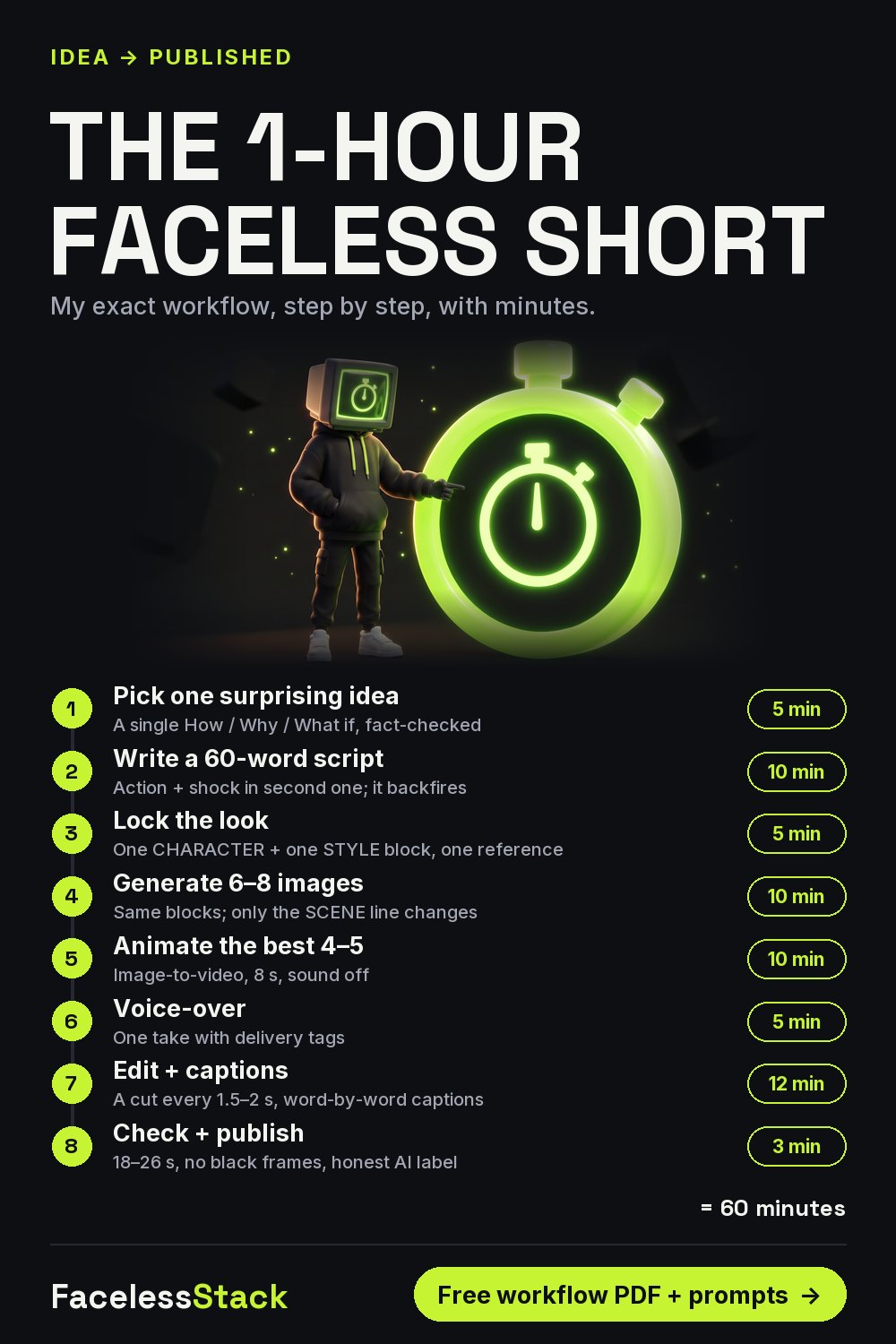
How to Make a Faceless YouTube Short in 1 Hour (AI Workflow)
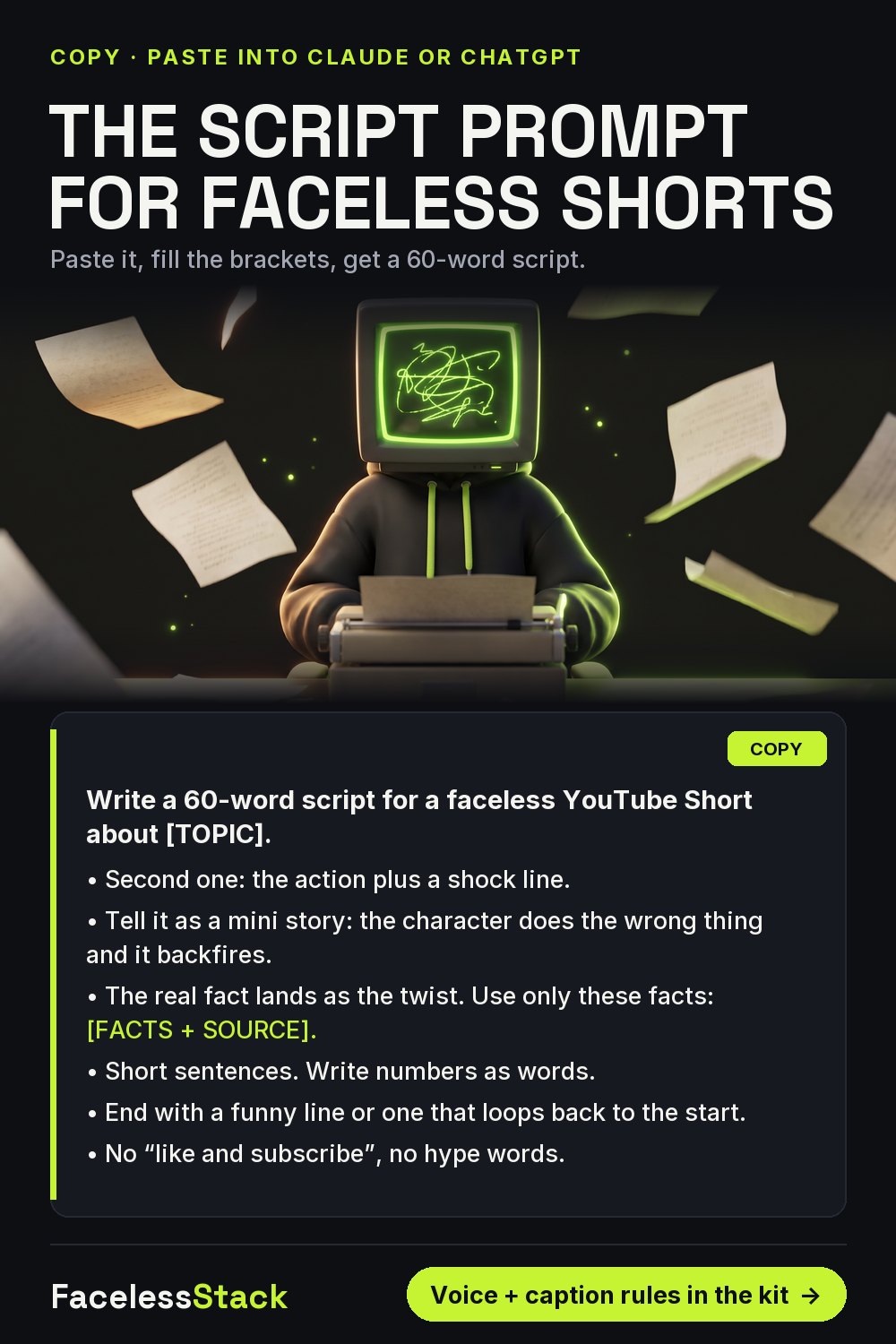
ChatGPT / Claude Prompt to Write Faceless YouTube Shorts Scripts