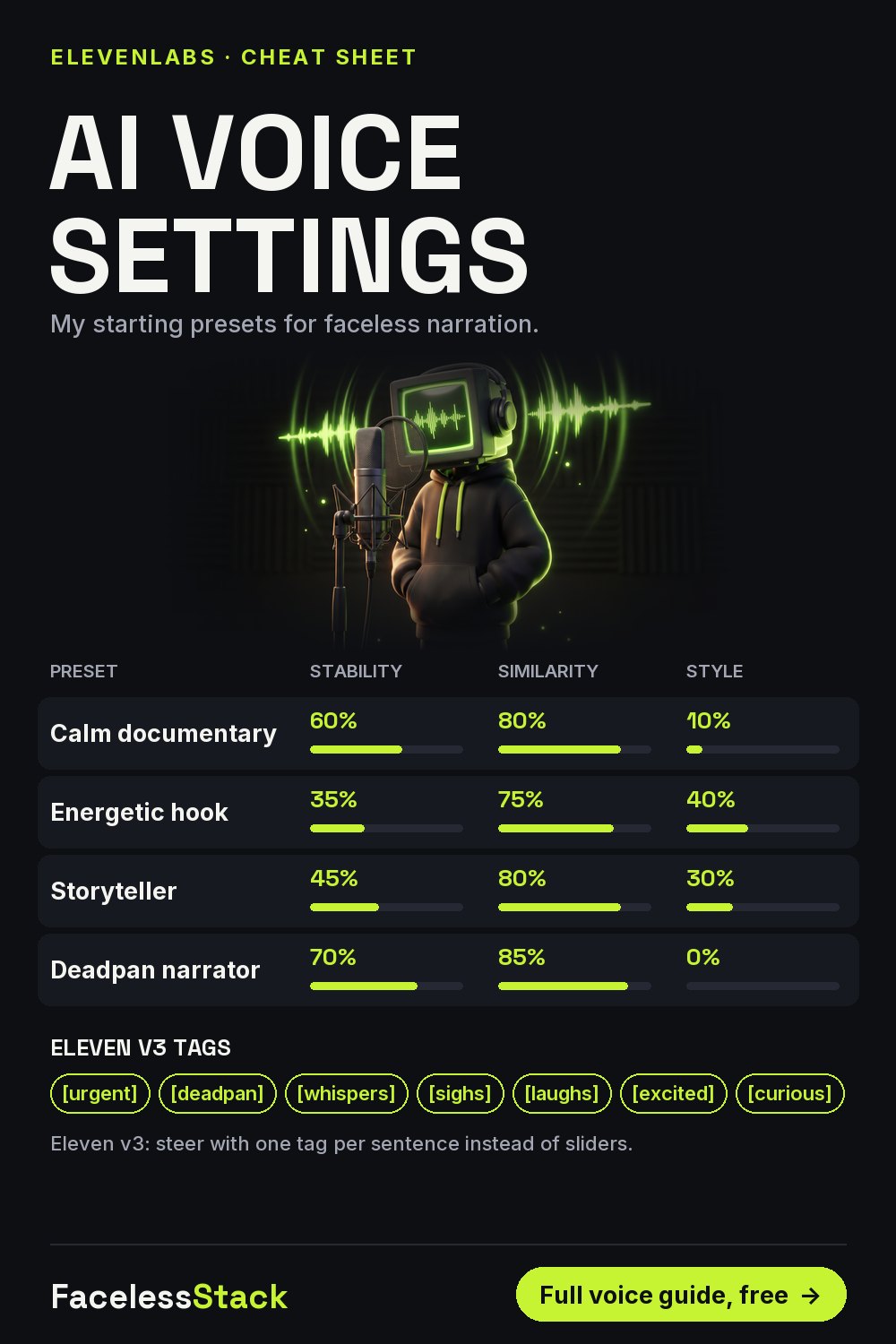
ElevenLabs Voice Settings Cheat Sheet for Faceless YouTube Narration
A flat AI voice kills retention faster than bad visuals. These are my starting presets; change one slider at a time from here. They're my own settings, not official recommendations.
| Preset | Stability | Similarity | Style |
|---|---|---|---|
| Calm documentary | 60% | 80% | 10% |
| Energetic hook | 35% | 75% | 40% |
| Storyteller | 45% | 80% | 30% |
| Deadpan narrator | 70% | 85% | 0% |
Lower stability = more emotion but more random takes. Higher style = more drama but slower and occasionally odd.
Eleven v3: tags instead of sliders
Eleven v3: steer with one tag per sentence instead of sliders. Put the tag right before the words it should affect.
[urgent] So you've fallen through the ice.
[deadpan] Here's the thing. The cold won't get you first.
[whispers] Panic will.
Voice cloning rule: only clone your own voice, or one you have written permission to use.
Save this for later:
Get the free Faceless Shorts Starter Kit
9 pages: the 1-hour workflow, 15 visual prompts, voice presets, caption rules, a real credit-cost sheet and a 30-day calendar.
Free. One useful email a week. Unsubscribe anytime.
The stack I actually use
Some links below may be affiliate links. If you subscribe through them I may earn a commission, at no extra cost to you. I've listed a free option next to each one.
| Job | Tool I use | Why | Free option |
|---|---|---|---|
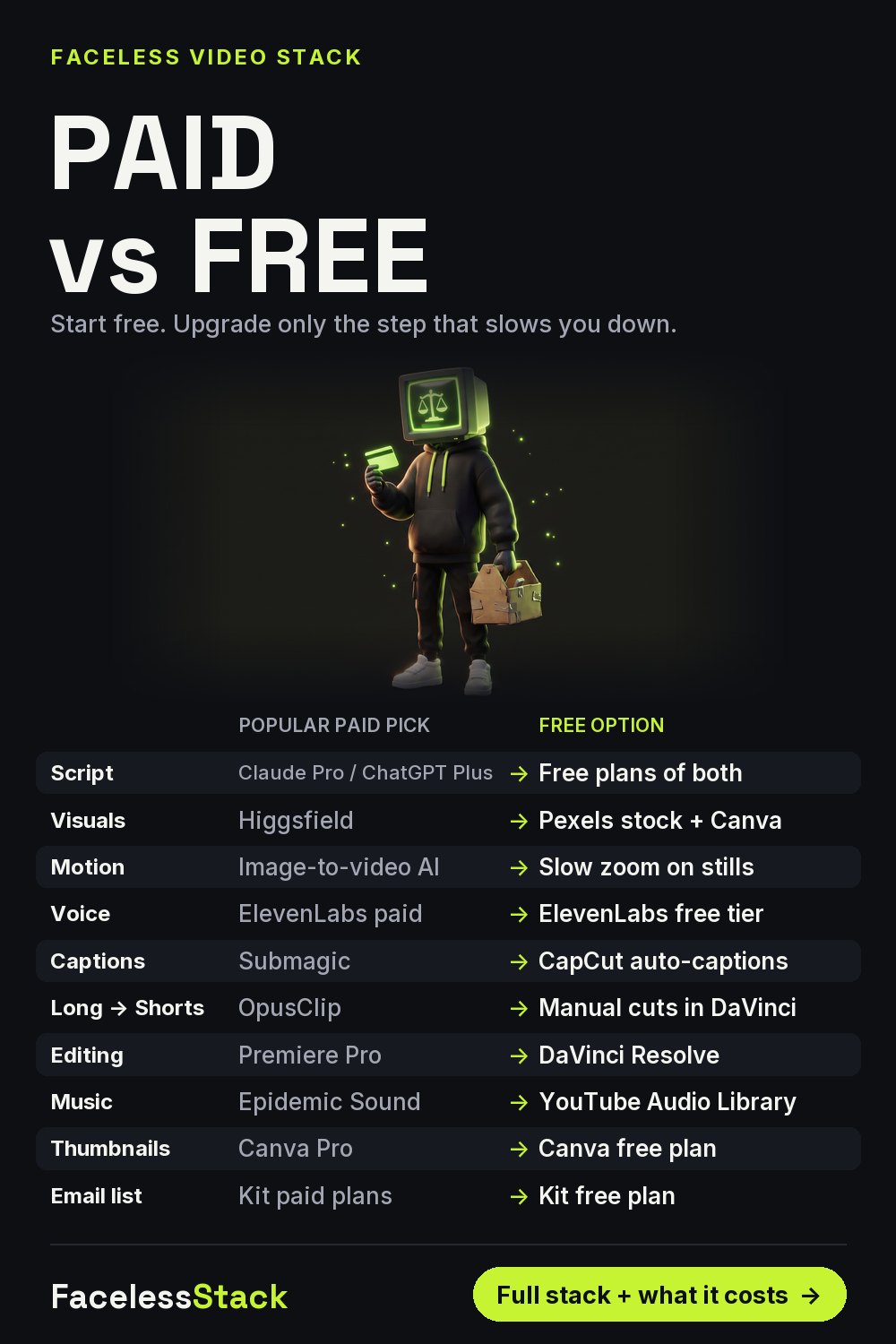
| Visuals | Higgsfield | Cinematic motion and consistent characters | Pexels stock + Canva |
| Voice | ElevenLabs | The most natural narration I've tested | ElevenLabs free tier |
| Captions & edit | Submagic | Animated captions in minutes | CapCut auto-captions |
| Email list | Kit | Owning your audience | Kit free plan |
More free guides
Paid vs Free AI Tools for Faceless YouTube Channels (2026)
50 Faceless YouTube Channel Ideas for Beginners (2026)
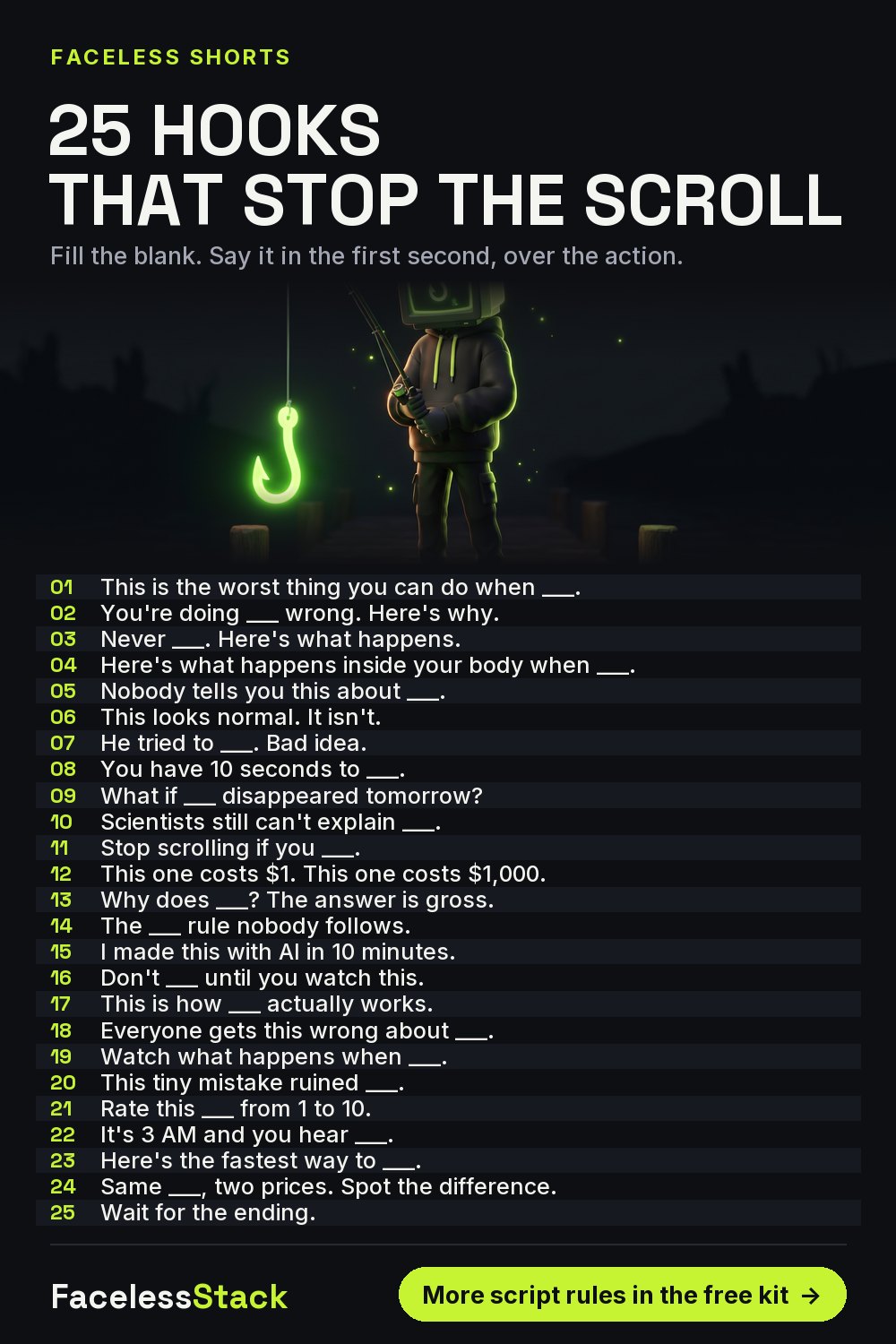
25 YouTube Shorts Hooks That Stop the Scroll (Faceless Channels)
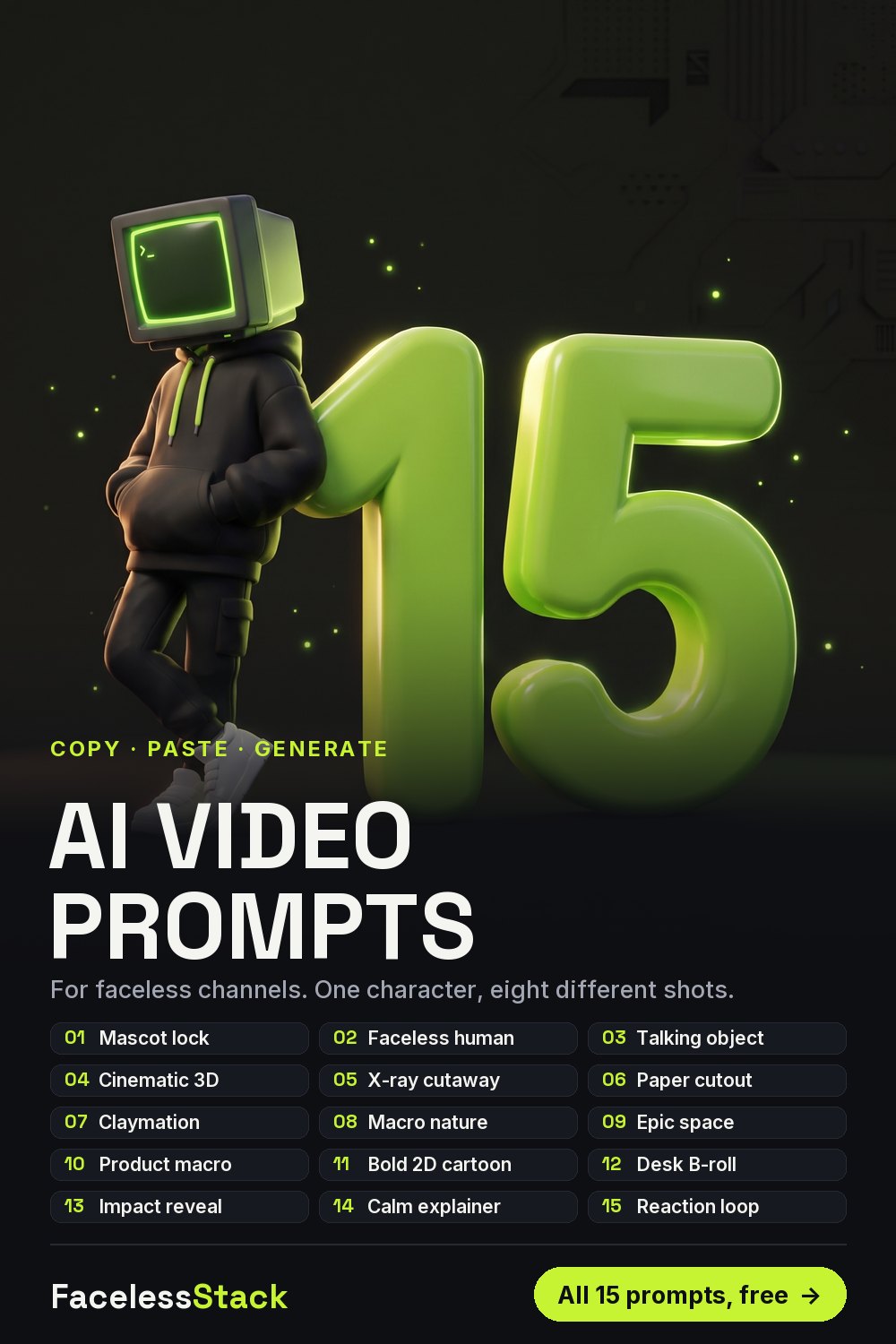
15 AI Image & Video Prompts for Faceless YouTube Shorts
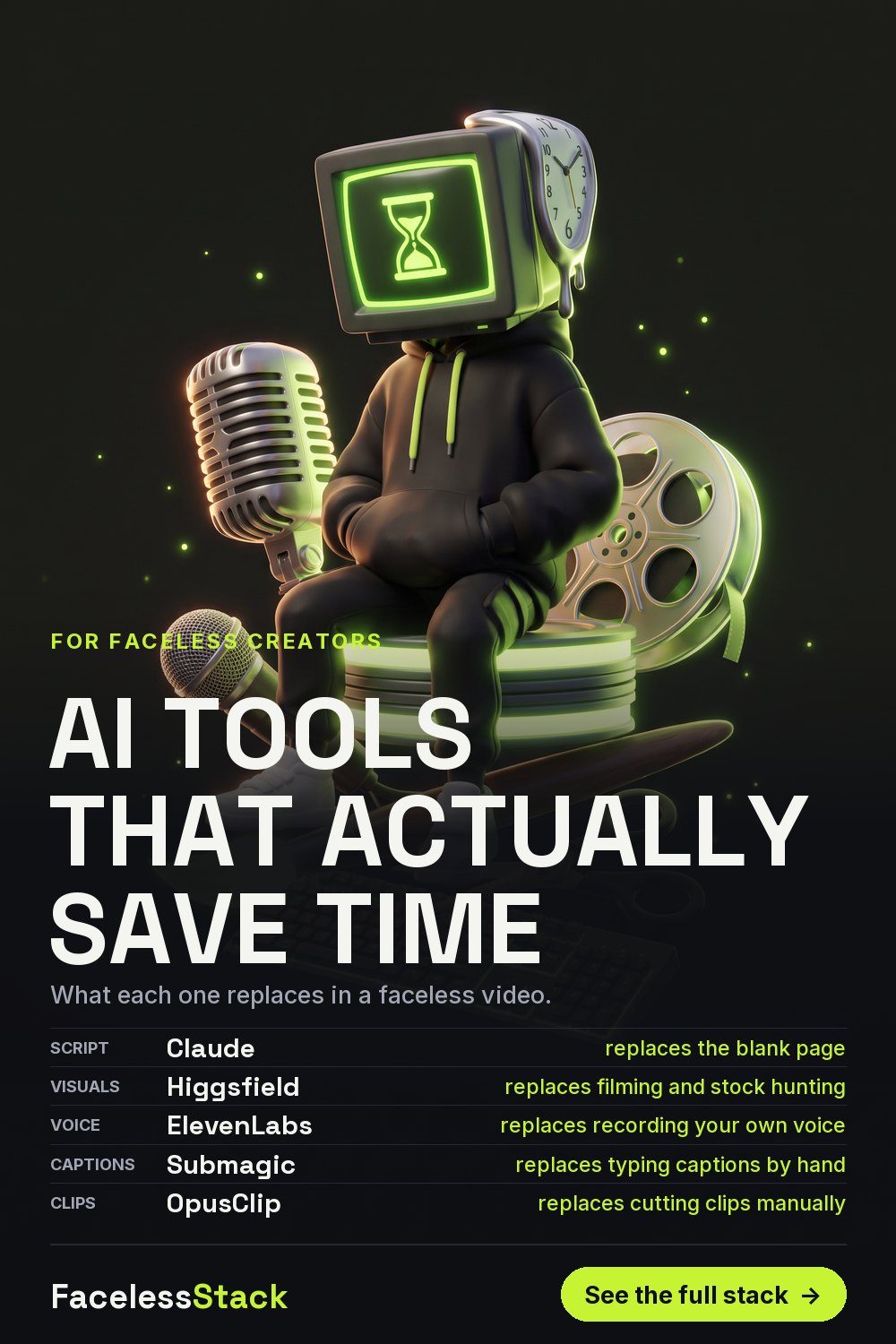
AI Tools That Actually Save Time for Faceless Content Creators
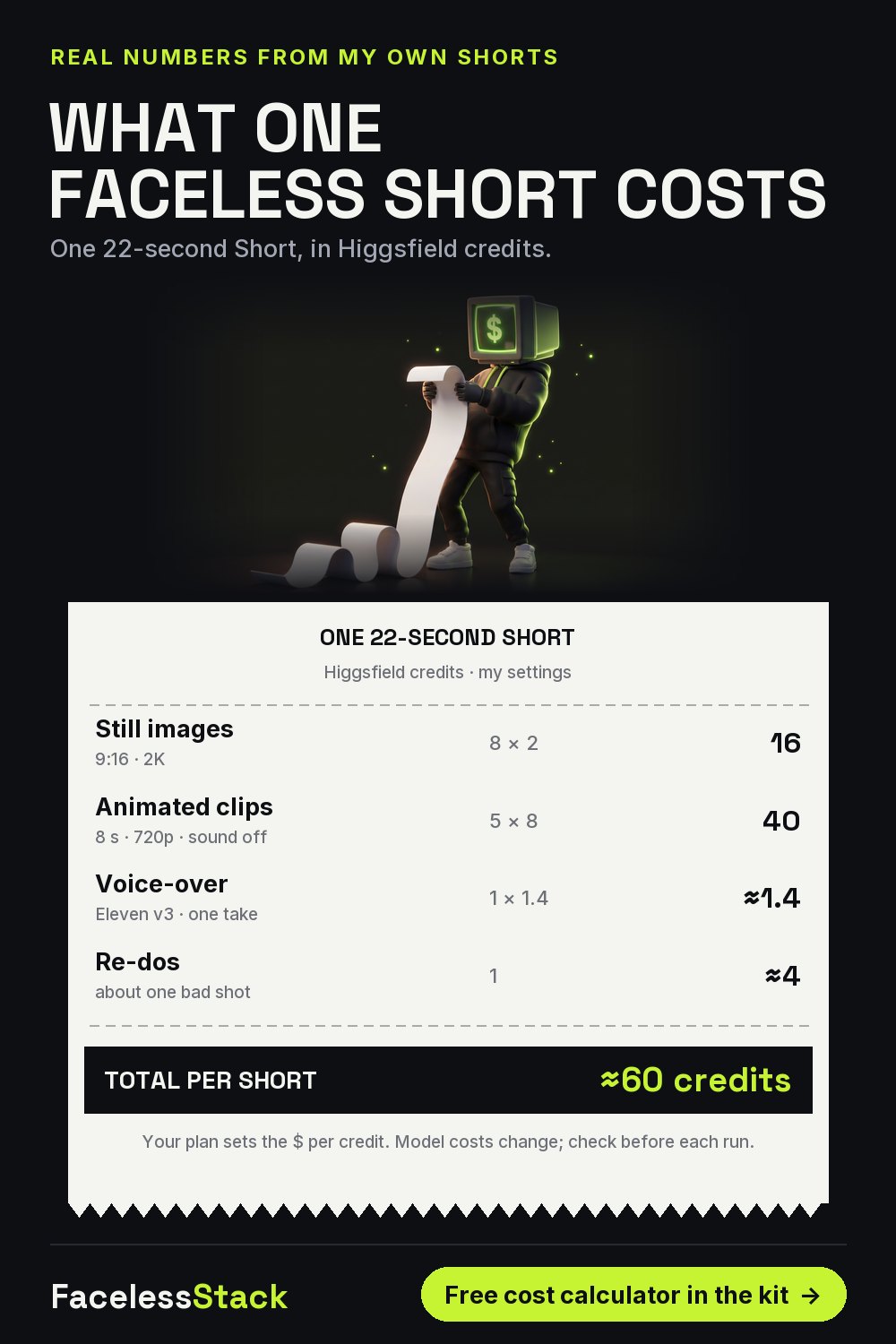
What One Faceless YouTube Short Really Costs (AI Credits Breakdown)
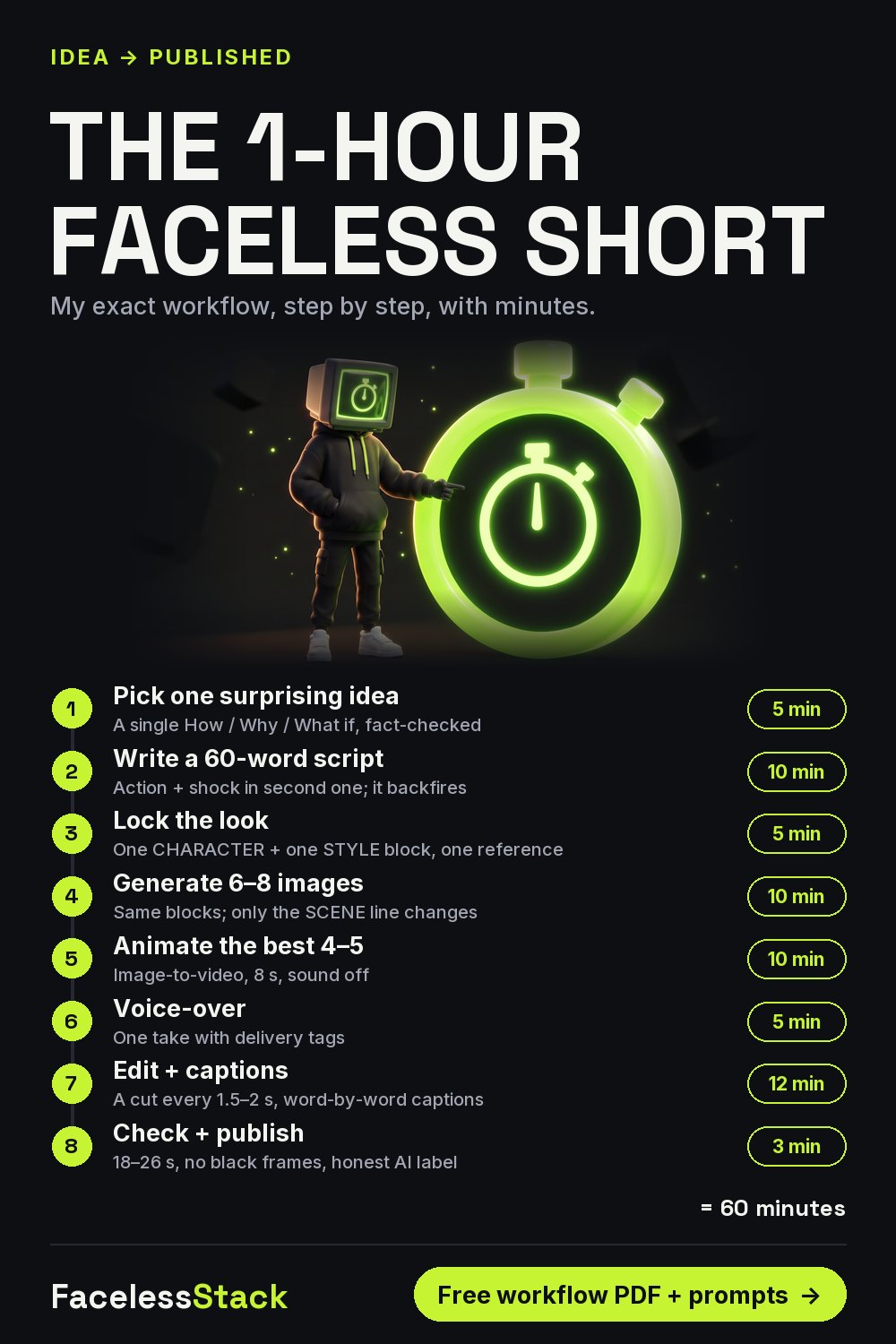
How to Make a Faceless YouTube Short in 1 Hour (AI Workflow)
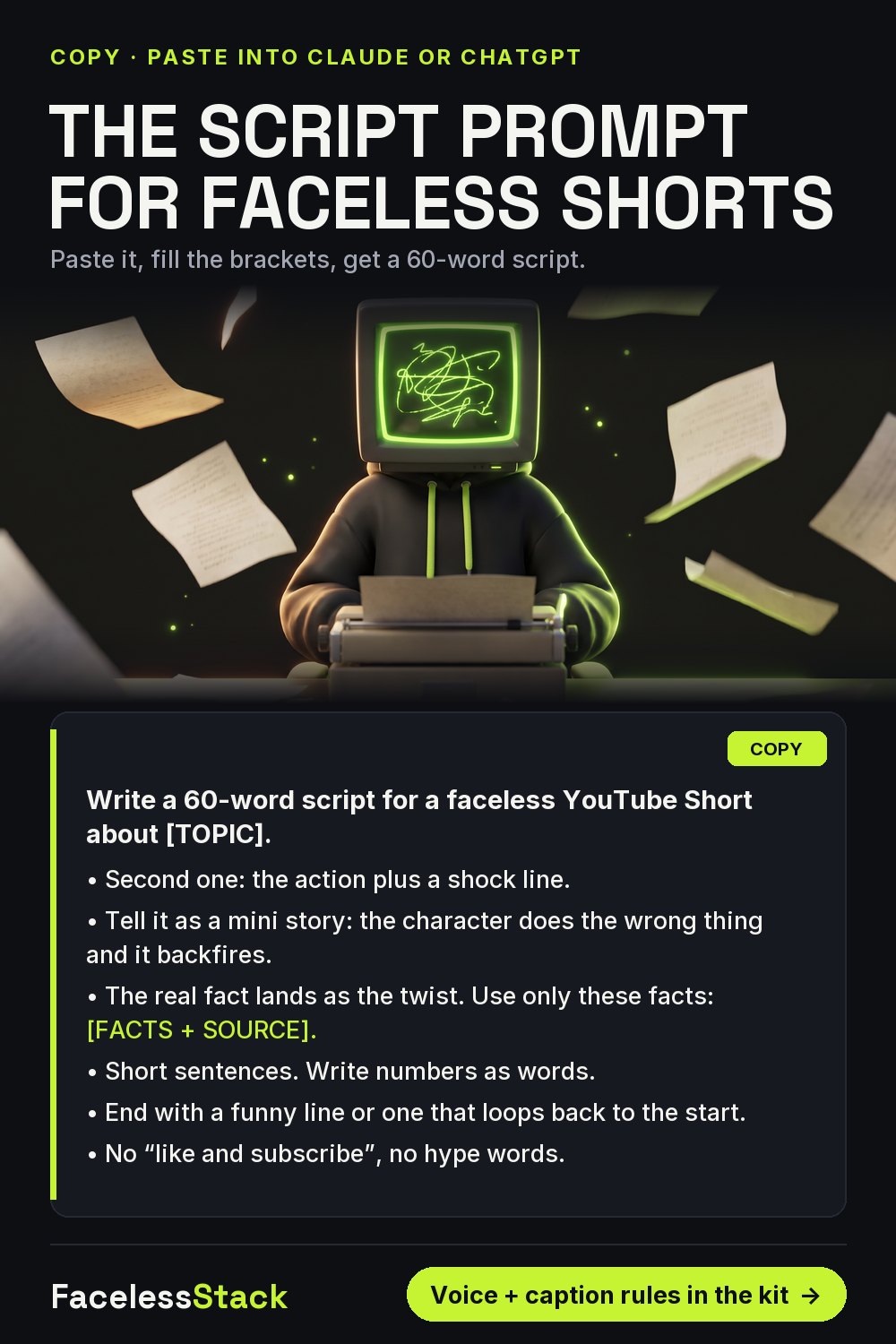
ChatGPT / Claude Prompt to Write Faceless YouTube Shorts Scripts